> For the complete documentation index, see [llms.txt](https://fivem.lvsoft.com.ar/llms.txt). Markdown versions of documentation pages are available by appending `.md` to page URLs; this page is available as [Markdown](https://fivem.lvsoft.com.ar/qb-esx/lvs-lib/skill-check.md).
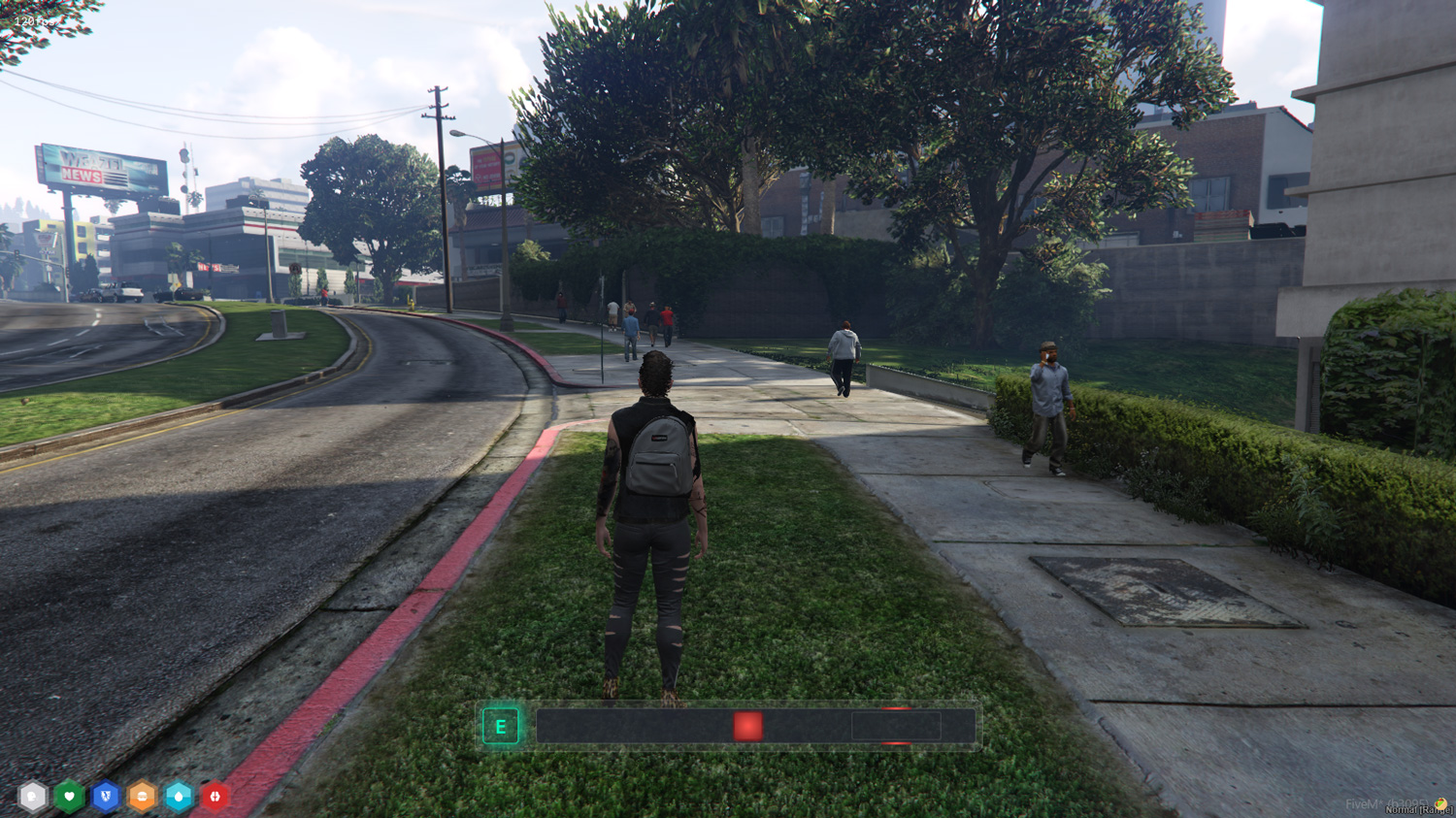
# skill check
## Skill Check
***
### How to use:
Client-side using exports
### skillCheck
Runs a skill check with the defined difficulty.
```
exports.lvs_lib:skillCheck(difficulty, inputs)
```
* difficulty: `'easy'` or `'medium'` or `'hard'` or `table`
* Preset difficulties:
* 'easy' - `{ areaSize: 50, speedMultiplier: 1 }`
* 'medium' - `{ areaSize: 40, speedMultiplier: 1.5 }`
* 'hard' - `{ areaSize: 25, speedMultiplier: 1.75 }`
* Custom difficulties can be set by sending an object instead of one of the preset strings above
* areaSize: `number`
* Size of the success area in degrees
* speedMultiplier: `number`
* Multiplier for the speed of the indicator
* inputs?: `string[]`
* A random key will be picked from the inputs table for each skill check
* If no inputs are defined the key is defaulted to `e`
***
### skillCheckActive
Returns true if a skill check is currently active.
```
exports.lvs_lib:skillCheckActive()
```
***
### cancelSkillCheck
Cancels the currently ongoing skill check.
```
exports.lvs_lib:cancelSkillCheck()
```
***
### Usage Example
```
local success = exports.lvs_lib:skillCheck(
{
'easy',
'medium',
{areaSize = 60, speedMultiplier = 2},
'hard'
}, {'w', 'a', 's', 'd'}
)
print(success)
```