> For the complete documentation index, see [llms.txt](https://fivem.lvsoft.com.ar/llms.txt). Markdown versions of documentation pages are available by appending `.md` to page URLs; this page is available as [Markdown](https://fivem.lvsoft.com.ar/qb-esx/lvs-lib/key-interaction.md).
# key-interaction
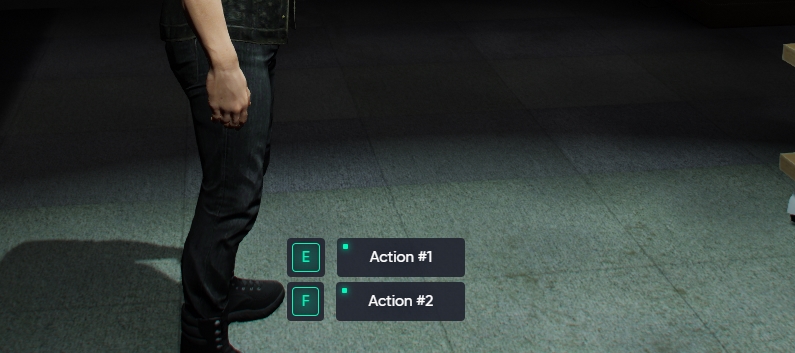
TextUI rework
{% hint style="info" %} Key Interaction is the same as TextUI but reworked to allow multiple keys. TextUI wasn't removed to maintain compatibility with scripts that are already using it. It doesn't affect anything.
{% endhint %}
## Key Interaction
***
### How to use:
Client-side using exports
**Example:**
```lua
-- show up key-interaction
-- exports.lvs_lib:keyInteraction(method, items)
exports.lvs_lib:keyInteraction('show', {
{key= 'E', text= 'Action #1'},
{key= 'F', text= 'Action #2'},
})
-- simulate keypress and hide key-interaction
-- exports.lvs_lib:keyInteraction(method, [itemIndex])
exports.lvs_lib:keyInteraction('pressed', 1)
-- hide key-interaction
exports.lvs_lib:keyInteraction('hide')
-- key-interaction state
-- isOpen: boolean state
-- options: given table for the keyInteraction show
local isOpen, options = exports.lvs_lib:keyInteraction('isOpen')
```
***