> For the complete documentation index, see [llms.txt](https://fivem.lvsoft.com.ar/llms.txt). Markdown versions of documentation pages are available by appending `.md` to page URLs; this page is available as [Markdown](https://fivem.lvsoft.com.ar/qb-esx/lvs-lib/notifications.md).
# notifications
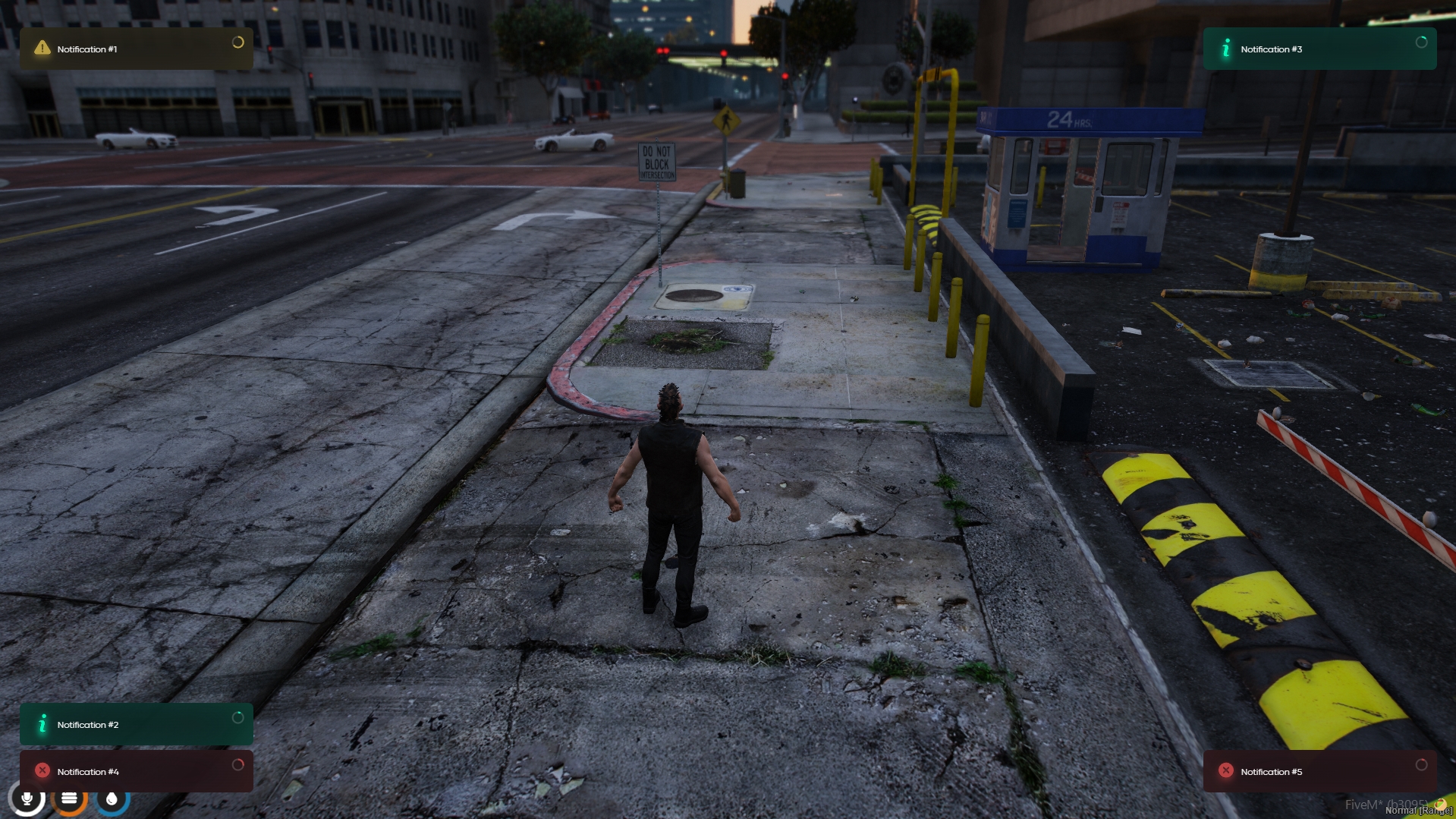
## Notifications
***
### How to use:
Event:
```lua
message = 'Message content'
type = 'info' -- info | warning | error
options = {
time = 6000, -- duration time
position = 'top-left' -- top-left | top-right | bottom-left | bottom-right
caption = 'Optional Title'
}
-- from client
TriggerEvent('lvs_lib:client:notify', message, type, options)
-- from server
TriggerClientEvent('lvs_lib:client:notify', source, message, type, options)
```
Export:
```lua
message = 'Message content'
type = 'info' -- info | warning | error
options = {
time = 6000, -- duration time
position = 'top-left' -- top-left | top-right | bottom-left | bottom-right
caption = 'Optional Title'
}
exports.lvs_lib:notify(message, type, options)
```
***
### QBCore Integration:
Edit `qb-core/client/functions.lua`, replace the function QBCore.Functions.Notify(line 83) with:
```lua
function QBCore.Functions.Notify(text, texttype, length)
local message
local caption
if type(text) == 'table' then
message = text.text
caption = text.caption
else
message = text
end
if texttype == 'police' or texttype == 'ambulance' then
texttype = 'warning'
end
TriggerEvent('lvs_lib:client:notify', message, texttype, {caption = caption, time = length})
end
```